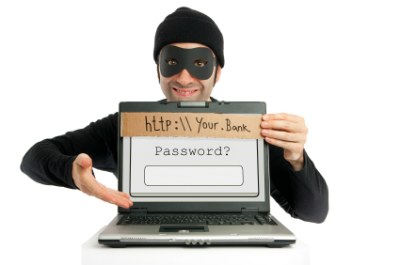
Obviously, the aim of this post isn’t to teach anyone how to steal people’s bank details, but to take apart one of the techniques thieves use most, and so warn potential victims of this fraud.
There are several ways our bank details can be stolen, some very crude and others far more sophisticated. The case I’m showing you today is one of the most widespread and also one of the easiest to pull off, but fortunately one of the easiest to spot, too.
The title uses the word phishing: a social-engineering scam in which the fraudster poses as a trusted company, usually by email or instant message, to obtain passwords, credit card numbers or other banking details.
I’ll show you with a 100% real example, and you’ll see how easy it is to recognise this theft attempt.
1. The email
We receive an email like the one below, which is clearly a lie for several reasons.
The first and most obvious is that a bank will never ask for any kind of data by email. The second, also clear, is that the message is full of grammar and spelling mistakes that hurt the eyes. (The original is in Spanish and even signs off with a misspelled “Grasias“.) Do you really think a bank would address its customers like that?
Example:
Correu electrònic fictici
| De: Santander <servicios.trabajo@santander.com> |
| Per a: La teva adreça de correu |
| Asunto: Para confirmar los detalles de su cuenta |
| Text: Como parte de un proyecto para la evaluación de los datos facilitados en los servicios de suscripción de Santander y se encontró una discrepancia relativa a los datos personales en cuestión facilitados por usted en el momento de la firma del contrato.La inserción de los datos dañados puede ser motivo para la terminación de los servicios, de conformidad con el art. 135 y 137 / c aceptados por usted en el momento de la suscripción, así como constituir un delito penado por la ley de acuerdo con el art.415 CPP de 2002 sobre la ley contra el lavado de dinero y la transparencia de los datos proporcionados en la autocertificación.Para superar el problema y ‘necesaria para verificar y actualizar los datos all’anagrafica servicio en línea: 1. Envíe el formulario adjunto a tu dirección de correo electrónico para verificar su cuenta de Santander SuperNet. 2. Santander en dos pequeños depósitos a su cuenta bancaria. 3. Revise su cuenta bancaria en 3-5 días para depositar las cantidades.4. Santander ingrese a su cuenta e ingresar el importe del depósito exactamente. Grasias. |
| Por favor, entre en su cuenta y el proceso de verificación completa Santander Online (Aquí va el Link ) |
2. The fake website
If we’re naive enough to follow the link, we end up on a page that imitates the bank’s, but if we look closely we’ll notice several things that don’t fit. First, the URL: the address isn’t the bank’s. Second, access to a bank account will never, ever, be through a website that isn’t https. And third, I can type anything I like into the form and it will still be accepted.

3. The card details
The next page has the same flaws as the previous one. This time they ask for our credit card details and, of course, we can type whatever we want and it will still go through.

4. Back to the real website
Once we’ve handed over everything they wanted, they send us straight to the bank’s real website, so that it all seems more believable and we don’t realise we’ve given our details to a stranger until it’s too late.

And that’s basically how phishing works. As you’ve seen, in most cases it isn’t too hard to spot. I hope this post helps you be more careful, and if one day it saves any of you a nasty surprise, I’ll consider myself well paid.
Update: phishing attacks today are much more polished (no typos, https, and even by text message or WhatsApp). The golden rule hasn’t changed: never log into your bank from a link you’ve received; type the address yourself or use the official app.
Translated with the help of AI from the original article.